
Dell Latitude 7480 Quick Start Guide
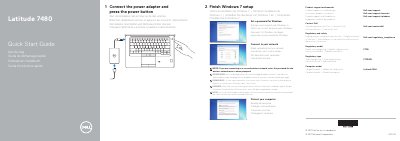
This Dell Latitude 7480 Quick Start Guide explains how to set up the laptop by connecting the power adapter, pressing the power button, completing Windows 7 setup, setting a password, and connecting to a network.
The guide also lists product features such as the camera, USB 3.0 ports, HDMI port, DisplayPort over USB Type-C, and optional components including the fingerprint reader, NFC sensor, smartcard reader, and Thunderbolt 3.
| USB 3.0 port with PowerShare | Included |
|---|---|
| DisplayPort over USB Type-C | Included |
| Thunderbolt 3 | Optional |
| Fingerprint reader | Optional |
| NFC sensor | Optional |
Connect the power adapter and press the power button.
Complete the Windows 7 installation and set a password for Windows.
Visit Dell.com/support, Dell.com/support/manuals, or Dell.com/support/windows.
The fingerprint reader is optional.