
Dell Latitude 3590 Computer Quick Start Guide

The Dell Latitude 3590 Quick Start Guide introduces the features and specifications of the product.
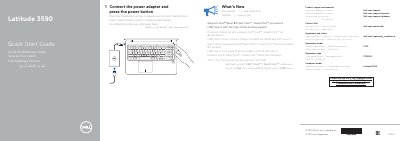

Dell Latitude 3590 Computer Quick Start Guide - cover page
Brand
DELL
Category
Laptops
Document type
Quick Start Guide
Language
English
Pages
2
File format
PDF
File size
209 KB
Published
25 November, 2023
Updated
25 November, 2023
MD5 checksum
F3DF424254420681360DA15EC2036880

About this manual

This Quick Start Guide explains how to set up the Dell Latitude 3590 computer by connecting the power adapter and pressing the power button. It also provides product support links and regulatory details.

The guide lists computer features including cameras, ports, card slots, buttons, and speakers, and directs users to Dell.com/support, Dell.com/support/manuals, and Dell.com/contactdell.

What's inside

  • Connect the power adapter and press the power button
  • Product support and manuals
  • Contact Dell
  • Regulatory and safety
  • Regulatory model
  • Regulatory type
  • Computer model
  • What's New
  • Features

Specifications

ProcessorIntel 8th Gen Core i Quad Core processors
USB Type-C dockingfull Type-C Dell docking support

Frequently asked questions

How do I start the Dell Latitude 3590?

Connect the power adapter and press the power button.

What processors does the Dell Latitude 3590 support?

It supports Intel 8th Gen Core i Quad Core processors.

Where can I find Dell product support and manuals?

Visit Dell.com/support and Dell.com/support/manuals.

Download PDF (209 KB)

More DELL Manuals


View all DELL manuals →