
Dell Latitude 3590 Computer Quick Start Guide

Dell Latitude 3590 Quick Start Guide
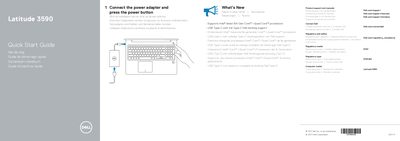

Dell Latitude 3590 Computer Quick Start Guide - cover page
Brand
DELL
Category
Laptops
Document type
Quick Start Guide
Language
English
Pages
2
File format
PDF
File size
101 KB
Published
24 November, 2023
Updated
24 November, 2023
MD5 checksum
0030572C53DB3ED799B3589E6071ED19

About this manual

This Quick Start Guide covers the Dell Latitude 3590 computer. It explains how to connect the power adapter and press the power button to start the system.

The guide also lists product features, shows the location of ports and controls, and provides Dell support, manuals, and regulatory compliance information.

What's inside

  • Connect the power adapter and press the power button
  • Product support and manuals
  • Contact Dell
  • Regulatory and safety
  • Regulatory model
  • Regulatory type
  • Computer model
  • What’s New
  • Features

Specifications

Computer modelLatitude 3590
Regulatory modelP75F
Regulatory typeP75F001
Processor supportIntel 8th Gen Core i Quad Core
Docking supportUSB Type-C full Type-C Dell docking

Frequently asked questions

How do I start the Dell Latitude 3590?

Connect the power adapter and press the power button.

Where can I find Dell product support and manuals?

Visit Dell.com/support, Dell.com/support/manuals, or Dell.com/support/windows.

What is the regulatory model of the Dell Latitude 3590?

The regulatory model is P75F.

Which processors does the Dell Latitude 3590 support?

It supports Intel 8th Generation Core i Quad Core processors.

Download PDF (101 KB)

More DELL Manuals


View all DELL manuals →