
The Dell Inspiron 15/15R/M531R laptop quick start guide introduces the parts, functions and usage of the laptop.
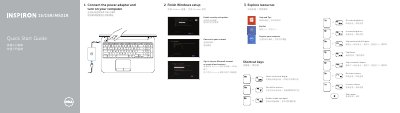
This quick start guide helps set up a Dell Inspiron 15/15R/M531R laptop, including finishing Windows setup, exploring resources, and using shortcut keys. It also identifies the computer's ports and status lights and lists product support, contact, and regulatory information.
The guide covers Inspiron 3521/5521/15-3537/15R-5537/M531R-5535 series computers and shows features such as USB 3.0 and USB 2.0 ports, HDMI, network, headset, media-card reader, optical drive, camera, and microphone.
| Regulatory model | P28F |
|---|---|
| Regulatory type | P28F001/P28F002 |
| Computer model | Inspiron 3521/5521/15-3537/15R-5537/M531R-5535 series |
| USB 3.0 ports | 2 |
| USB 2.0 ports | 2 |
| HDMI port | 1 |
| Network port | 1 |
| Headset port | 1 |
| Media-card reader | 1 |
| Optical drive | 1 |
| Security-cable slot | 1 |
| Camera | 1 |
| Digital microphone | 1 |
It covers Inspiron 3521/5521/15-3537/15R-5537/M531R-5535 series computers.
The regulatory model is P28F and the regulatory type is P28F001/P28F002.
The guide points to dell.com/support and dell.com/support/manuals.
They include switching to an external display, wireless, touchpad, brightness, media playback, and volume.