
Key facts
- Brand
- DELL
- Model
- Inspiron 23
- Category
- All-in-One Desktops
- Documents
- 10
- Languages
- ZH · EN · ID · ES · PT
- Last added
- 2026-09-29
Start here
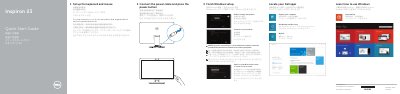
Dell Inspiron 23 Quick Start Guide
This document serves as a Quick Start Guide for the Dell Inspiron 23 all-in-one computer. It provides step-by-step instructions for initial setup, including connecting the power cable, finishing the Windows setup process, and registering the computer. The guide also directs users to locate their Dell apps and access help resources.
Read onlineDell Inspiron 23 specifications
| Model Number | Inspiron 2350 |
|---|---|
| Official Model | W07C |
| Official Type | W07C002 |
All Dell Inspiron 23 documents by type
Day-to-day operation, settings and troubleshooting. Start here if the product is already set up.
The shortest path to a working setup, usually only a few pages.
Disassembly, diagnostics and part numbers, for repair.
Questions answered in these manuals
How should I safely disassemble the Dell Inspiron 23 5348?
Before disassembly, shut down the computer, disconnect all power and cables, remove the coin‑cell battery, and follow the safety warnings listed in the manual.
What are the steps to refresh the BIOS on this model?
Turn on the computer, visit dell.com/support, enter the service tag, download the BIOS update, and run the update file as instructed.
Where can I find setup instructions for the wireless keyboard and mouse?
For setup instructions, see the documentation that shipped with the wireless keyboard and mouse.
What should I do if I am connecting to a secured wireless network?
Enter the password for the wireless network access when prompted.
How do I ground the system board before working on the computer?
After unplugging the computer, press and hold the power button for about 5 seconds to ground the system board.
What surface should I place the computer on to avoid scratches?
Place the computer on a flat, soft, and clean surface to avoid scratching the display.