
Dell Inspiron 15/15R/M531R Laptop Quick Start Guide

Dell Inspiron 15/15R/M531R Laptop Quick Start Guide.
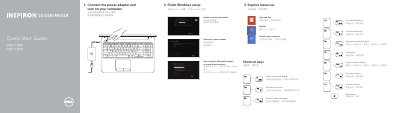

Dell Inspiron 15/15R/M531R Laptop Quick Start Guide - cover page
Brand
DELL
Category
Laptops
Document type
Quick Start Guide
Language
Chinese
Pages
2
File format
PDF
File size
207 KB
Published
20 November, 2023
Updated
20 November, 2023
MD5 checksum
F6C8BE23AB342AC57E2469BEDE8E1A55

About this manual

This document serves as a Quick Start Guide for Dell Inspiron 15/15R/M531R laptops. It covers essential initial steps such as completing Windows setup, connecting to a network, and registering the computer. The guide also details how to use various shortcut keys for common tasks like adjusting volume, brightness, and switching displays. This manual is written in Chinese.

What's inside

  • Finish Windows setup
  • Explore resources
  • Shortcut keys
  • Connect the power adapter
  • Features
  • Product support and manuals
  • Regulatory and safety

Frequently asked questions

What is the first step to set up the computer?

Connect the power adapter and turn on the computer.

What account options are mentioned during Windows setup?

You can sign in to a Microsoft account or create a local account.

How many USB 3.0 ports does the laptop have?

It has two USB 3.0 ports.

What are the regulatory model and type?

The regulatory model is P28F and the regulatory type is P28F001/P28F002.

Download PDF (207 KB)

More DELL Manuals


View all DELL manuals →