
Key facts
Start here
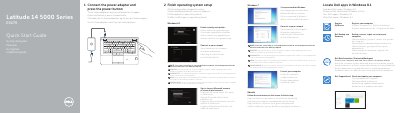
Dell Latitude 14 5000 Series E5470 Laptop Quick Start Guide
This multilingual Quick Start Guide is for the Dell Latitude 14 5000 Series E5470 laptop. It explains how to connect the power adapter, finish operating system setup, enable security and updates, connect to a network, sign in to a Microsoft account, and locate Dell apps in Windows 8.1. It also covers device registration, Dell Backup and Recovery, Dell Data Protection, Dell SupportAssist, and Ubuntu setup.
The guide lists system features such as network, VGA, HDMI, and USB 3.0 connectors, an SD memory-card reader, smart-card readers, and a touch fingerprint reader. It includes product support links, Dell contact information, and regulatory details showing regulatory model P62G, regulatory type P62G001, and computer model Latitude E5470, printed in China in July 2016.
Dell Latitude E5470 specifications
| Input Voltage | 100 V CA–240 V CA |
|---|---|
| Input Current (Max) | 2,5 A |
| Input Frequency | 50 Hz–60 Hz |
| Output Current | 3,34 A/ 4,62 A |
| Output Voltage | 19,5 V DC |
| Regulatory Model | P62G |
| Product Support URL | Dell.com/support |
Source: Dell Latitude 14 5000 Series E5470 Laptop Quick Start Guide
All Dell Latitude E5470 documents by type
Day-to-day operation, settings and troubleshooting. Start here if the product is already set up.
- Dell Latitude 14 5000 Series E5470 Laptop Quick Start Guide 2 p
- Dell Latitude 14 5000 Series E5470 Laptop Quick Start Guide 2 p
- Dell Latitude 14 5000 Series E5470 Laptop Quick Start Guide 2 p
- Dell Latitude 14 5000 Series E5470 Laptop Quick Start Guide 2 p
- Dell Latitude 14 5000 Series E5470 Notebook Quick Start Guide 2 p
- Dell Latitude E5470 User Manual 59 p
- Dell Latitude E5470 Laptop Owner's Manual 60 p
The shortest path to a working setup, usually only a few pages.
- Dell Latitude 14 5000 Series E5470 Laptop Quick Start Guide 2 p
- Dell Latitude 14 5000 Series E5470 Laptop Quick Start Guide 2 p
- Dell Latitude 14 5000 Series E5470 Quick Start Guide 2 p
- Dell Latitude 14 5000 Series E5470 Quick Start Guide 2 p
- Dell Latitude 14 5000 Series E5470 Laptop Quick Start Guide 2 p
- Dell Latitude 14 5000 Series E5470 Quick Start Guide 2 p
- Dell Latitude 14 5000 Series E5470 Laptop Quick Start Guide 2 p
- Dell Latitude 14 5000 Series E5470 Notebook Quick Start Guide 2 p
- Dell Latitude 14 5000 Series E5470 Notebook Quick Start Guide 2 p
- Dell Latitude 14 5000 Series E5470 Quick Start Guide 2 p
- Dell Latitude 14 5000 Series E5470 Quick Start Guide 2 p
- Dell Latitude 14 5000 Series E5470 Laptop Quick Start Guide 2 p
- Dell Latitude 14 5000 Series E5470 Quick Start Guide 2 p
- Dell Latitude 14 5000 Series E5470 Quick Start Guide 2 p
- Dell Latitude 14 5000 Series E5470 Notebook Quick Start Guide 2 p
- Dell Latitude 14 5000 Series E5470 Notebook Quick Start Guide 2 p
- Dell Latitude 14 5000 Series E5470 Notebook Quick Start Guide 2 p
- Dell Latitude 14 5000 Series E5470 Laptop Quick Start Guide 2 p
- Dell Latitude 14 5000 Series E5470 Laptop Quick Start Guide 2 p
- Dell Latitude 14 5000 Series E5470 Quick Start Guide 2 p
- Dell Latitude 14 5000 Series E5470 Laptop Quick Start Guide 2 p
- Dell Latitude 14 5000 Series E5470 Notebook Quick Start Guide 2 p
- Dell Latitude 14 5000 Series E5470 Laptop Quick Start Guide 2 p
- Dell Latitude 14 5000 Series E5470 Quick Start Guide 2 p
Disassembly, diagnostics and part numbers, for repair.
Questions answered in these manuals
What should I do if I connect to a secured wireless network?
You must enter the password for the wireless network access when prompted.
From: Dell Latitude 14 5000 Series E5470 Laptop Quick Start Guide
How do I protect my computer from malware?
Use the Dell Data Protection feature to protect your computer and data from advanced malware attacks.
From: Dell Latitude 14 5000 Series E5470 Laptop Quick Start Guide
How do I start the Dell Latitude E5470?
Connect the power adapter and press the power button.
From: Dell Latitude 14 5000 Series E5470 Laptop Quick Start Guide
What should I do when connecting to a secured wireless network?
Enter the password for the wireless network access when prompted.
From: Dell Latitude 14 5000 Series E5470 Laptop Quick Start Guide
What should I do if I connect to a secured wireless network?
Enter the password for the wireless network access when prompted.
From: Dell Latitude 14 5000 Series E5470 Laptop Quick Start Guide
How do I register my computer?
Register your computer to use Dell Backup and Recovery and other services.
From: Dell Latitude 14 5000 Series E5470 Laptop Quick Start Guide