
The Dell External USB Slim DVD-ROM Optical Drive-DP61N is a portable slim USB DVD-ROM drive that supports USB 2.0 interface (480 Mbits/s), drawer loading, and is compatible with CD-R/RW, DVD-R/RW/RAM/+R/+RW/+R DL/-R DL, M-DISC (DVD+R SL) reading, and supports CD Family and DVD-ROM reading.
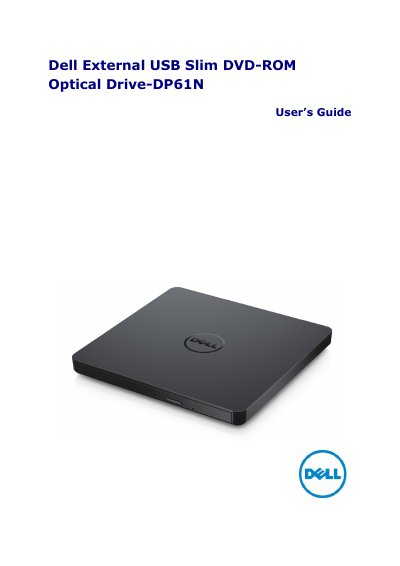
The Dell DP61N is a portable, slim-form-factor external optical drive powered via USB 2.0. It supports reading various disc formats including CD, DVD-R, DVD+RW, and M-DISC, and features an automatic drawer load mechanism with an emergency eject hole for manual disc removal.
The manual provides instructions for connecting the drive to a computer, loading and removing discs, and performing emergency ejections. It also includes safety guidelines, cleaning procedures, and a comprehensive list of technical specifications regarding data transfer speeds, supported media, power consumption, and environmental operating conditions.
| Interface | USB 2.0 (480 Mbits/s) |
|---|---|
| Data transfer speed (External) | USB 2.0 (480Mbit/s) |
| Supported disc formats | CD-R/RW, DVD-R/RW/RAM/+R/+RW/+R DL/-R DL, M-DISC |
| CD Read Speed | 24 x max. CAV |
| DVD Read Speed | 8 x max. CAV |
| Operating Temperature | 5 ° to 40 ° C (41 ° to 104 ° F) |
| Dimensions | 144 mm Width x 137.5 mm Depth x 14 mm Height |
| Weight | About 200 g |
Insert a small diameter rod or a stiff wire (like a straightened paper clip) into the emergency eject hole and push firmly until the tray opens.
No, the drive is PC USB powered and does not need an AC adaptor.
The imbalance may cause the drive to vibrate or produce a fan-like noise due to high-speed spinning, which is inherent to the technology.