
Key facts
Start here
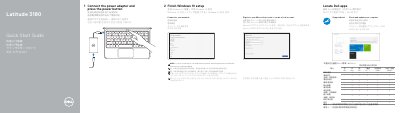
Dell Latitude 3180 Quick Start Guide
The Dell Latitude 3180 Quick Start Guide provides initial setup instructions, including connecting the power adapter, finishing Windows 10 setup, connecting to a network, signing in to a Microsoft account, and locating Dell apps.
It also identifies the computer's external features and ports, lists the regulatory model as P26T and computer model as Latitude 3180, and includes links to Dell product support, manuals, Windows support, contact information, and regulatory compliance pages.
Dell Latitude 3180 specifications
| Regulatory model | P26T |
|---|---|
| Regulatory type | P26T002 |
| Computer model | Latitude 3180 |
All Dell Latitude 3180 documents by type
The shortest path to a working setup, usually only a few pages.
Day-to-day operation, settings and troubleshooting. Start here if the product is already set up.
Questions answered in these manuals
What is the regulatory model of the Dell Latitude 3180?
The regulatory model is P26T.
Where can you find Dell product support and manuals?
Visit Dell.com/support, Dell.com/support/manuals, or Dell.com/support/windows.
How do I set up the Dell Latitude 3180?
Connect the power adapter and press the power button, then finish Windows 10 setup, connect to your network, and sign in or create an account.
Where can I find support and manuals for the Latitude 3180?
Dell lists product support and manuals at Dell.com/support and Dell.com/support/manuals.
What should I do first when setting up the computer?
Connect the power adapter and press the power button.
How do I connect to a network?
Connect to your network; if it is a secured wireless network, enter the password when prompted.