
The Dell DP61N is a portable DVD-ROM drive that uses a USB 2.0 interface and supports multiple optical disc formats.
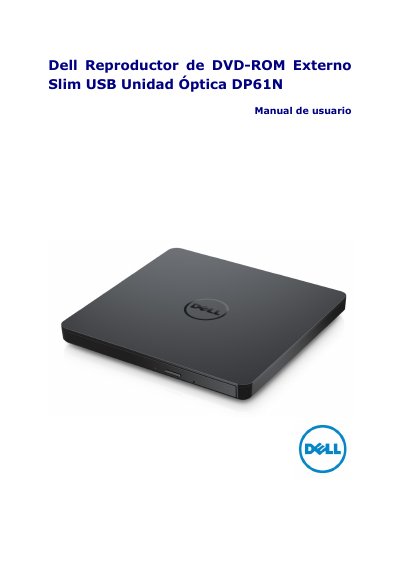
This manual covers the Dell DP61N portable slim external USB DVD-ROM drive, a read-only drive for CD and DVD media with a USB 2.0 interface. It is powered by the PC's USB port, supports 12 cm and 8 cm discs, and uses tray loading.
The manual describes the front and rear panels, disc insertion and removal, emergency eject, safety instructions, cleaning, connectivity, troubleshooting, specifications and standards. This manual is written in Spanish.
| Host interface | USB 2.0 (480 Mbit/s) |
|---|---|
| Internal interface | T13 ATA/ATAPI-8, MMC-6, INF-8090i v8 |
| Compatible disc formats | DVD-ROM (single/dual), DVD-RW, DVD-R, DVD+RW, DVD+R, DVD+R double layer, DVD-R dual layer, DVD-RAM, M-Disc (DVD+R SL), CD-DA, CD-Extra, CD-Plus, CD-ROM, CD-ROM XA-Ready, CD-I FMV, CD-TEXT, CD-Bridge, CD-R, CD-RW, Photo-CD, Video CD |
| CD read speed | 24x max CAV |
| DVD read speed | 8x max CAV |
| DVD-RAM read speed | 6x max CAV |
| Standby current | 113 mA |
| Continuous read current | 700 mA |
| Seek current | 800 mA |
| Acoustic noise | Less than 50 dBA at 0.25 m |
| Supply voltage | +5 V +/-5% |
| Ripple | Less than 100 mVp-p |
| Operating humidity | 15% to 85% (non-condensing) |
| Altitude | 0 to 3,000 m |
| MTBF | 60,000 hours POH |
| Width | 144 mm |
| Depth | 137.5 mm |
| Thickness | 14 mm |
| Weight | About 200 g |
Press the eject button to open the tray, place the disc in the center with the label facing up, insert it until seated, then push the tray closed by hand.
Check that the system is on; if media is stuck, power off and on again; otherwise use the emergency eject procedure.
Wipe it with a soft cloth from the center outward; do not use benzene, paint thinner, or anti-static disc cleaners.
It is powered by the PC's USB port and does not need an AC adapter.