
Ubiquiti AmpliFi Instant AFi-INS quick start guide: package contents, router and MeshPoint hardware, installation steps, and specifications.
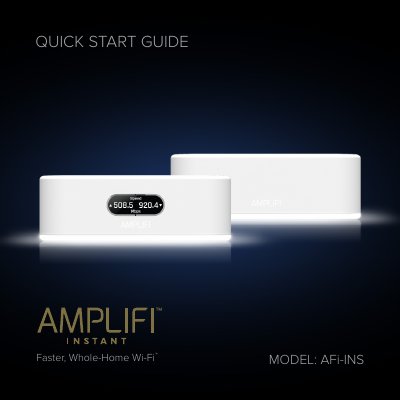
This Quick Start Guide from Ubiquiti Networks covers the AmpliFi Instant Home Wi-Fi System, model AFi-INS. It lists the package contents (Router, MeshPoint, two Power Adapters and an Ethernet Cable), describes the front and back of the Router and the MeshPoint, and explains how to install the system using the AmpliFi app for iPhone or Android, or by connecting to the default AmpliFi wireless network (SSID) from a computer or tablet. The guide also includes warranty terms.
The installation steps have you power off your broadband modem, connect the Ethernet Cable between the modem and the internet port on the Router, and launch the AmpliFi app. Separate specification tables list the Router and MeshPoint radio, interface and environmental data, and the final pages hold the EU declaration of conformity text and Ubiquiti support contacts.
| Max. TX Power | 22 dBm |
|---|---|
| MIMO | 2.4 GHz: 2x2, 5 GHz: 2x2 |
| Speeds | 2.4 GHz: 300 Mbps, 5 GHz: 867 Mbps |
| Networking Interface (Router) | Wi-Fi/Gigabit Ethernet: (1) WAN, (1) LAN |
| Max. Power Consumption | 9W |
| ESD/EMP Protection | ± 24kV Air/Contact |
| Wi-Fi Standard | 802.11ac |
| Wireless Security | WPA2-PSK AES/TKIP |
| Display (Router) | 30.73 mm (1.21") diagonal, 160 x 64, 142 ppi, capacitive touch, grayscale |
| Operating Temperature | 14 to 131 °F (-10 to 55 °C) |
| Operating Humidity | 5 to 95% Noncondensing |
| Certifications | FCC / CE / IC |
The package contains the Router, a MeshPoint, two Power Adapters and an Ethernet Cable.
You can install it with the AmpliFi app for iPhone or Android, or by connecting to the default AmpliFi wireless network (SSID) from a computer or tablet.
Both list 300 Mbps on 2.4 GHz and 867 Mbps on 5 GHz.
Online help is available at help.amplifi.com, and you can email [email protected].