
This product is Ubiquiti's airMAX airCube AC wireless AP, which supports 802.11ac protocol and has POE In/Out function
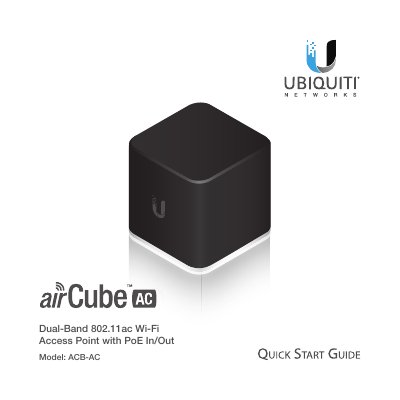
This Quick Start Guide provides instructions for installing and configuring the Ubiquiti airCube AC Access Point (Model ACB-AC). It covers package contents, hardware overview, and step-by-step installation procedures including connecting Ethernet cables and power adapters. The guide also details how to use the UNMS mobile app to discover and activate the device via QR code scanning.
| Dimensions | 87.80 x 89.50 x 89.25 mm (3.46 x 3.52 x 3.51") |
|---|---|
| Weight | 280 g (9.88 oz) |
| Antenna Gain | 4 dBi @ 2.4 GHz, 5 dBi @ 5 GHz |
| Max. Speeds | 300 Mbps @ 2.4 GHz, 866.7 Mbps @ 5 GHz |
| Max. Power Consumption | 8.5W |
| Max. TX Power | 22 dBm |
| Operating Temperature | -10 to 50° C (-14 to 122° F) |
| Operating Humidity | 5 to 95% Noncondensing |
The device supports up to 300 Mbps at 2.4 GHz and 866.7 Mbps at 5 GHz.
The maximum power consumption is 8.5W.
The device operates between -10 and 50° C.
The maximum speed is 866.7 Mbps at 5 GHz.