
StarTech.com ST7200USBM rugged industrial 7-port USB 2.0 hub: specifications, package contents, installation steps and warranty information.
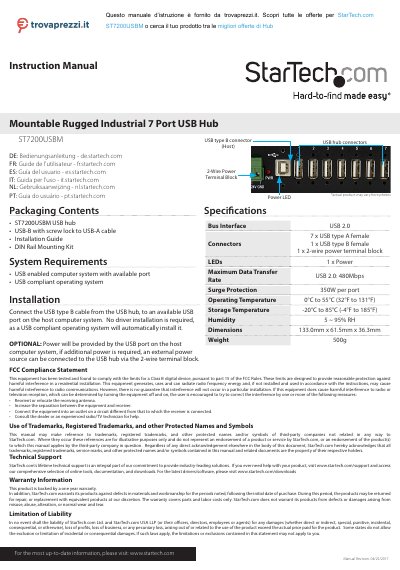
This instruction manual covers the StarTech.com ST7200USBM, a rugged industrial 7-port USB hub. It lists the hub's specifications, including a USB 2.0 bus interface, seven USB type A female connectors plus one USB type B female connector, a 2-wire power terminal block and a single power LED, along with data rate, surge protection, temperature, humidity, dimension and weight figures. The packaging contents and the required system conditions (a USB enabled computer with an available port and a USB compliant operating system) are also listed.
Installation is described in a few steps: connect the USB type B cable from the hub to an available USB port on the host computer, with no driver installation needed because a USB compliant operating system installs it automatically. Power normally comes from the host USB port, and if more power is needed an external power source can be connected through the 2-wire terminal block. The manual closes with an FCC Class B compliance statement, a trademark notice, technical support contact details, a one year warranty statement and a limitation of liability.
| Bus Interface | USB 2.0 |
|---|---|
| Connectors | 7 x USB type A female, 1 x USB type B female, 1 x 2-wire power terminal block |
| LEDs | 1 x Power |
| Maximum Data Transfer Rate | USB 2.0: 480Mbps |
| Surge Protection | 350W per port |
| Operating Temperature | 0°C to 55°C (32°F to 131°F) |
| Storage Temperature | -20°C to 85°C (-4°F to 185°F) |
| Humidity | 5 ~ 95% RH |
| Dimensions | 133.0mm x 61.5mm x 36.3mm |
| Weight | 500g |
No. The manual states that a USB compliant operating system will install it automatically.
The ST7200USBM USB hub, a USB-B with screw lock to USB-A cable, an Installation Guide and a DIN Rail Mounting Kit.
An external power source can be connected through the 2-wire terminal block when additional power is required.
It is backed by a one year warranty against defects in materials and workmanship.