
Introduces the features and characteristics of 2-Port USB 3.1 Card - 10Gbps per port - 2x USB-C - PCIe and provides installation instructions
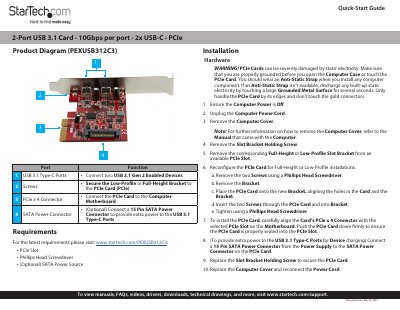
This guide explains how to install the StarTech.com PEXUSB312C3 2-port USB 3.1 Type-C card into a computer. It includes safety warnings, hardware requirements, and step-by-step installation instructions. The card supports 10Gbps per port and connects via PCIe x4. Optional SATA power can be used for device charging. Driver installation is only required for Windows 7.
The guide also covers FCC and Industry Canada compliance, trademark disclaimers, warranty information, and safety measures for handling the card to avoid static damage.
No driver installation is needed for Windows 8 and up. For Windows 7, download and install the driver from www.startech.com/PEXUSB312C3.
Each port supports 10Gbps transfer rate, as per USB 3.1 Gen 2 standard.