
Key facts
- Manuals
- 19
- Models
- 2
- Languages
- EN · DE
- Last added
- 2026-11-02
StarTech.com models by category
Featured StarTech.com manuals
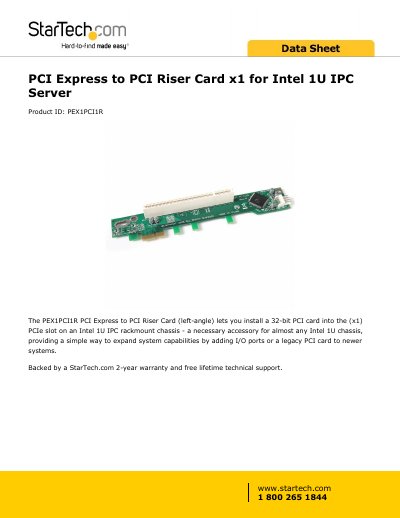
StarTech.com PEX1PCI1R PCI Express to PCI Riser Card User Manual
This riser card enables installation of 32-bit PCI cards into PCIe x1 slots on Intel 1U IPC server chassis. It includes a power connector for high-power cards and requires no drivers. The card is 20mm tall, 170mm long, and weighs 30g. It supports operating temperatures from 0°C to 60°C and is compatible with any 1U Intel IPC server with available PCIe expansion slots.
The manual includes compatibility details, certifications, and environmental specs. It comes with a 2-year warranty and lifetime technical support from StarTech.com.
Covers: Product Overview · Features · Compatibility · Installation · Warranty and Support · Physical Specifications
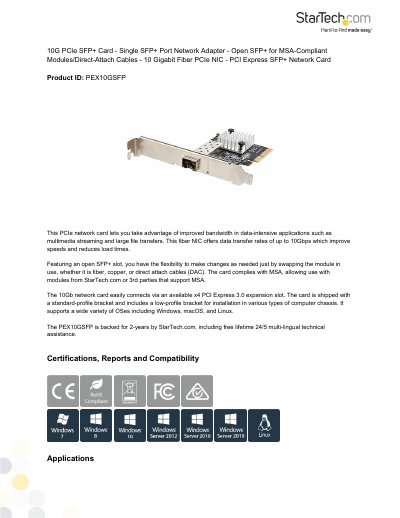
StarTech.com PEX10GSFP 10G PCIe SFP+ Card Product Leaflet
The StarTech.com PEX10GSFP is a 10 Gigabit PCIe network adapter featuring a single open SFP+ port. It is designed to support MSA-compliant modules and direct-attach cables (DAC), allowing users to switch between fiber optic and copper connections as needed. The card connects via an x4 PCI Express 3.0 expansion slot and includes both standard and low-profile brackets for flexible installation in various computer chassis.
Covers: Features · Specifications · OS Compatibility · Supported Protocols · Physical Characteristics · Environmental Requirements
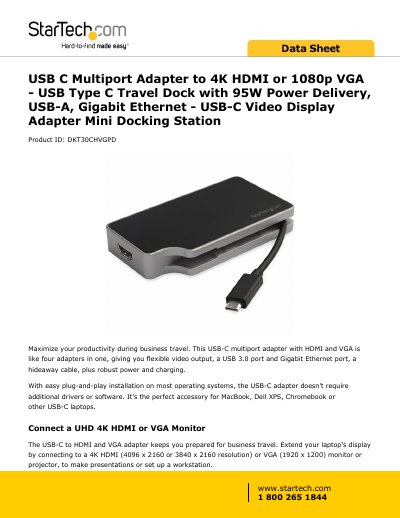
StarTech.com DKT30CHVGPD USB-C Multiport Adapter User Manual
This USB-C multiport adapter enables video output via HDMI or VGA, USB-A 3.0, and Gigabit Ethernet. It supports 95W Power Delivery 3.0 for fast charging and includes a hideaway cable. Compatible with MacBook, Dell XPS, Chromebook, and other USB-C devices. Plug-and-play with no drivers required.
The adapter supports 4K HDMI (3840 x 2160 @ 30Hz) or VGA (1920 x 1200) output, USB 3.0 data transfer (5Gbps), and 10/100/1000 Mbps Ethernet. It’s bus-powered and features Fast Role Swap for seamless power switching.
Covers: Product Overview · Video Output Options · USB and Ethernet Ports · Power Delivery and Charging · Compatibility · Setup and Installation
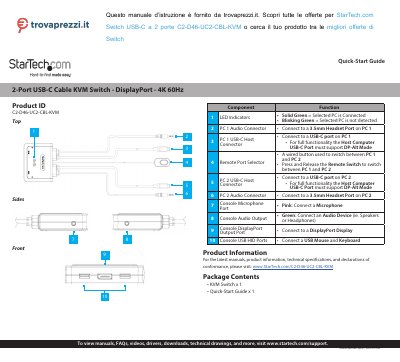
StarTech.com C2-D46-UC2-CBL-KVM 2-Port USB-C Cable KVM Switch Quick Start Guide
This guide explains how to install and operate the 2-Port USB-C Cable KVM Switch. Connect two computers via USB-C ports and use the remote selector or hotkeys to switch between them. The console connects via DisplayPort and optional audio ports. Software installation enables advanced features like autoscan and fixed audio.
The switch supports 4K 60Hz resolution and requires USB-C ports with DisplayPort Alt-Mode. Optional peripherals include microphones, speakers, and headsets. Safety warnings advise against touching exposed circuitry while powered.
Covers: Product Components · LED Indicators · Installation Instructions · Hotkey Reference · Software Operation · Safety Measures
Latest StarTech.com manuals
StarTech.com PEX1PCI1R PCI Express to PCI Riser Card User Manual
User Manual 3 pages · 122 KB · ENUser guide for StarTech.com's PCI Express to PCI riser card, compatible with Intel 1U IPC server chassis.
StarTech.com PEX10GSFP 10G PCIe SFP+ Card Product Leaflet
Product Leaflet 4 pages · 123 KB · ENStarTech.com PEX10GSFP is a 10Gbps PCIe network card with an open SFP+ slot supporting MSA-compliant modules and direct-attach cables for high-bandwidth…
StarTech.com DKT30CHVGPD USB-C Multiport Adapter User Manual
User Manual 6 pages · 151 KB · ENUSB-C multiport adapter with HDMI/VGA, USB-A, Gigabit Ethernet, and 95W Power Delivery for laptops.
StarTech.com C2-D46-UC2-CBL-KVM 2-Port USB-C Cable KVM Switch Quick Start Guide
Quick Start Guide 2 pages · 211 KB · ENQuick-start guide for StarTech.com's 2-port USB-C KVM switch with DisplayPort 4K 60Hz support and remote port selector.
StarTech.com USB3SDOCKDD USB 3.0 Laptop Docking Station User Manual
User Manual 2 pages · 197 KB · DEGerman user manual for the StarTech.com USB3SDOCKDD docking station, covering installation, driver setup, and operation.
StarTech.com PEX1PCI1R PCI Express to PCI Riser Card User Manual
User Manual 2 pages · 346 KB · ENInstallation and user guide for the StarTech.com PEX1PCI1R PCI Express to PCI Riser Card x1, covering system requirements, safety warnings, and specifications.
StarTech.com SV831DUSBU 8 Port 1U Rack Mount VGA USB KVM Switch User Manual
User Manual 19 pages · 761 KB · ENThis manual covers the installation, operation, and configuration of the StarTech.com SV831DUSBU 8-port 1U Rack Mount VGA USB KVM Switch with OSD.
StarTech.com USBLT2MBR 2m Angled Lightning to USB Cable Product Leaflet
Product Leaflet 3 pages · 125 KB · ENA 2-meter right-angle USB to Lightning cable for iPhone, iPad, and iPod, featuring Apple MFi certification and high-speed data transfer up to 480 Mbps.
StarTech.com CB2U2F CardBus Slot Saver Instruction Manual
User Manual 11 pages · 339 KB · ENThis manual details the installation, usage, and troubleshooting for the StarTech.com CB2U2F CardBus card, which adds USB 2.0 and FireWire ports to laptops.
StarTech.com S25SLOTR 2.5in SATA Removable Hard Drive Bay Installation Manual
User Manual 2 pages · 237 KB · ENInstallation guide for StarTech.com's S25SLOTR 2.5in SATA removable drive bay for PC expansion slots.
2-Port USB 3.1 Card - 10Gbps per port - 2x USB-C - PCIe Quick Start Guide
Quick Start Guide 2 pages · 894 KB · ENQuick start guide for StarTech.com's 2-port USB 3.1 Type-C expansion card with 10Gbps per port, PCIe x4 interface, and installation instructions.
StarTech.com SV231DPDDUA2 2-Port KVM Switch with Dual DisplayPort - 4K 60Hz User Manual
User Manual 13 pages · 770 KB · ENUser guide for StarTech.com's 2-port KVM switch supporting 4K 60Hz DisplayPort and USB peripherals.
Instruction Manual of RACKCONS17HD / RKCONS17HDGB 1U 17in 1080p LCD Rack Console with Front USB Hub
User Manual 20 pages · 602 KB · ENThis manual provides installation, operation, and specification details for the StarTech.com RACKCONS17HD 1U 17-inch LCD Rack Console with front USB hub.
StarTech.com USB2DVI USB to DVI Adapter User Manual
User Manual 10 pages · 297 KB · ENThis manual provides installation, configuration, and usage instructions for the StarTech.com USB2DVI adapter, enabling a secondary DVI display via a USB…
StarTech.com USB2DVIPRO2 USB to DVI External Video Card Adapter Instruction Manual
User Manual 15 pages · 1.1 MB · ENThis manual provides installation and configuration instructions for the StarTech.com USB2DVIPRO2 adapter, enabling up to five external displays via a…
Which document do I need?
User Manual
Day-to-day operation, settings and troubleshooting. Start here if the product is already set up.
Quick Start Guide
The shortest path to a working setup, usually only a few pages.
Questions answered in StarTech.com manuals
What is the product used for?
It allows installation of 32-bit PCI cards into PCIe x1 slots on Intel 1U IPC server chassis.
From: StarTech.com PEX1PCI1R PCI Express to PCI Riser Card User Manual
Does it require drivers?
No driver or software installation is required.
From: StarTech.com PEX1PCI1R PCI Express to PCI Riser Card User Manual
Can I use copper SFP+ modules with this card?
Yes, the open SFP+ slot accepts any MSA-compliant module or direct attach cable (DAC), including copper modules.
From: StarTech.com PEX10GSFP 10G PCIe SFP+ Card Product Leaflet
Is this card compatible with 10/100/1000 Mbps SFP transceivers?
No, the card is not compatible with 10/100/1000 Mbps SFP transceivers; a 10 Gigabit SFP+ transceiver or DAC is required.
From: StarTech.com PEX10GSFP 10G PCIe SFP+ Card Product Leaflet
What devices is this adapter compatible with?
Compatible with MacBook, Dell XPS, Chromebook, HP EliteBook, Lenovo Ultrabooks, Google Pixel, and Samsung Galaxy devices.
From: StarTech.com DKT30CHVGPD USB-C Multiport Adapter User Manual
Does this adapter require drivers?
No, it’s plug-and-play and doesn’t require additional drivers or software.
From: StarTech.com DKT30CHVGPD USB-C Multiport Adapter User Manual