
startech.com USB 3.0 to DVI External Video Card Multi Monitor Adapter with 1-Port USB Hub (model: USB32DVIEH) Instruction Manual

This manual describes the features and use of startech.com USB 3.0 to DVI External Video Card Multi Monitor Adapter with 1-Port USB Hub (model: USB32DVIEH).
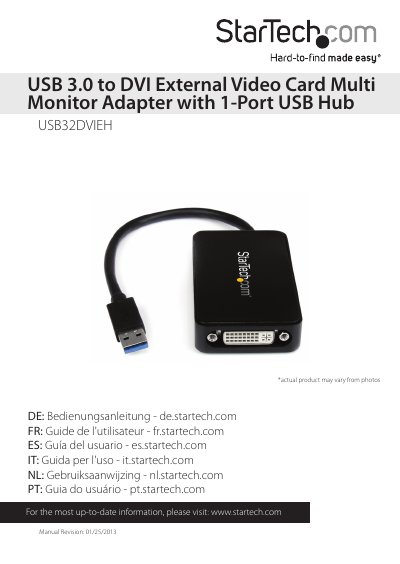

startech.com USB 3.0 to DVI External Video Card Multi Monitor Adapter with 1-Port USB Hub (model: USB32DVIEH) Instruction Manual - cover page
Brand
StarTech.com
Category
Other Computer Accessories
Document type
User Manual
Language
English
Pages
13
File format
PDF
File size
1 MB
Published
16 October, 2023
Updated
16 October, 2023
MD5 checksum
BE9BC4F386B1006A83413C1E0ABC61D7

About this manual

The StarTech.com USB32DVIEH is an external video card that turns a standard USB 3.0 port on a desktop or laptop computer into a high-resolution DVI output supporting up to 1920x1200. It features a built-in one-port USB 3.0 hub, allowing users to free up the host's USB port for other devices while maintaining connectivity.

What's inside

  • Introduction
  • Packaging Contents
  • Recommended System Requirements
  • Driver Installation
  • Hardware Installation
  • USB HUB Installation
  • Multiple USB Video Adapter Installation
  • Display Settings
  • Specifications

Specifications

Max Resolution1920 x 1200
InterfaceUSB 3.0
Output SignalDVI
Chipset IDMCT Trigger T5-302
Audio SupportYes
OS CompatibilityWindows 7 (32/64bit) Windows 8 (32/64bit)
Warrantytwo year warranty

Frequently asked questions

What are the recommended system requirements?

The computer must have an available USB 3.0 or 2.0 port, a Quad Core CPU of 2.4GHz or higher (i5 recommended), and at least 4GB of RAM.

Can I use the USB hub feature if connected to a USB 2.0 port?

Yes, but the hub will only operate at USB 2.0 speeds in that scenario.

What is the maximum number of adapters supported on one PC?

You can connect a maximum of five USB32DVIEH adapters to a single computer.

Download PDF (1 MB)

More StarTech.com Manuals


View all StarTech.com manuals →