
The IDT ZMID520x Evaluation Kit User Manual explains how to set up and use the kit with the AID EVK GUI software for inductive position sensor ICs.
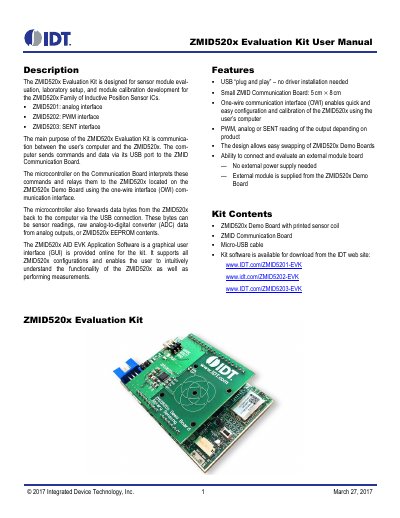
The ZMID520x Evaluation Kit is designed for sensor module evaluation, laboratory setup, and module calibration development for the ZMID520x family of inductive position sensor ICs, including ZMID5201 (analog), ZMID5202 (PWM), and ZMID5203 (SENT). Its main purpose is communication between a user’s computer and the ZMID520x through the ZMID Communication Board using a one-wire interface (OWI) over USB.
The kit includes the ZMID520x Demo Board with a printed sensor coil, the ZMID Communication Board, and a micro-USB cable; no external power supply is needed. The downloadable ZMID520x AID EVK Application Software provides a graphical user interface that supports all ZMID520x configurations and enables measurements, calibration, and memory editing.
| Computer interface | USB plug and play |
|---|---|
| Communication board size | 5 cm × 8 cm |
| Kit communication interface | One-wire (OWI) |
| Supported sensor interfaces | PWM, analog or SENT |
| Power supply | No external power supply needed |
It enables communication between a user’s computer and the ZMID520x for sensor module evaluation, laboratory setup, and module calibration development.
It supports ZMID5201 analog, ZMID5202 PWM, and ZMID5203 SENT interfaces depending on the product.
No. Power is provided from the computer via the USB connection, and no external power source is required.
Windows XP SP3, Vista SP1 or later, 7, 8, 8.1, or 10 on x86 or x64 architecture with an available USB port.