
Engenius EAP1250 Wireless Indoor Access Point Quick Installation Guide

Quick guide for mounting and configuring the Engenius EAP1250 wireless access point on a T-Rail and setting TCP/IP.
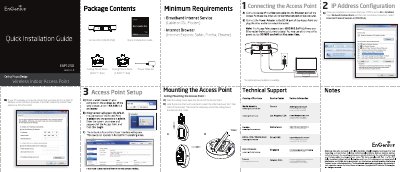

Engenius EAP1250 Wireless Indoor Access Point Quick Installation Guide - cover page
Brand
EnGenius
Document type
Quick Start Guide
Language
English
Pages
1
File format
PDF
File size
6.4 MB
Published
05 November, 2026
Updated
05 November, 2026
MD5 checksum
1EBBC00D7A885C04D9B0967C5BC80601

About this manual

This guide explains how to mount the EAP1250 access point on a T-Rail using the ceiling mount base. It also covers TCP/IP configuration, including setting a static IP address. An optional power adapter is available for connection.

What's inside

  • TCP/IP Configuration
  • Mounting the Access Point
  • Connecting the Access Point
  • Power Adapter

Frequently asked questions

What IP address and subnet mask should be set for the computer?

Set the IP address to 192.168.1.10 and the subnet mask to 255.255.255.0.

What is required to mount the access point to a ceiling?

Slide the ceiling mount base into the slot of the Access Point and hook the bracket onto the T-Rail.

Download PDF (6.4 MB)

More EnGenius Manuals


View all EnGenius manuals →