
This is an outdoor wireless AP product for enterprises. It supports 2.4GHz/5GHz dual-band and has a maximum speed of 1300Mbps. It supports AP mode, client mode, WDS mode, and can be connected to the network via wired or wireless
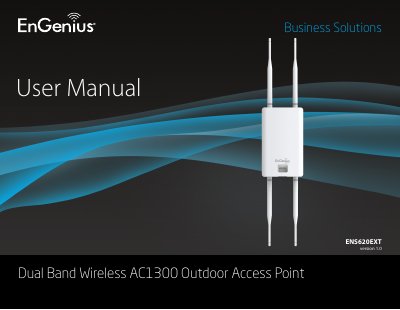
The EnGenius ENS620EXT is a high-performance, long-range Dual-Band Wireless 802.11 ac/a/b/g/n Outdoor Access Point designed for various outdoor environments. It supports speeds up to 400 Mbps on the 2.4GHz band and 867Mbps on the 5GHz band, featuring two detachable antennas per frequency.
| Wireless Standards | IEEE802.11ac/a/n on 5 GHz, IEEE802.11b/g/n on 2.4 GHz |
|---|---|
| Max Data Rate (2.4GHz) | 400 Mbps |
| Max Data Rate (5GHz) | 867Mbps |
| Antenna Type | 2 External SMA-type Antenna |
| Power Requirement | Proprietary 24V Power over Ethernet (PoE) |
The device requires a proprietary 24V PoE injector, specifically the EPA2410GP model included in the package.
The device supports Access Point, WDS (AP, Bridge, and Station) modes.