
Key facts
- Manuals
- 3
- Categories
- 2
- Languages
- ZH · JA
- Last added
- 2011-10-17
Featured EnGenius manuals
EnGenius EOC5611p Quick Installation Guide
The guide begins with a hardware overview, describing the built‑in/external antenna switch, SMA antenna connector, and the Reset button. It explains how to connect power and Ethernet cables and how to select the appropriate antenna configuration.
Next, it details network settings, including the default LAN IP (192.168.1.1) and subnet mask (255.255.255.0), how to assign a static IP, and how to log into the web interface. The document also walks through selecting one of four operation modes—Access Point, Client Bridge, WDS Bridge, or Client Router—and configuring SSID, channel, encryption, and power settings. This manual is written in Chinese.
Covers: Hardware Overview · Hardware Connection · Default Network Settings · IP Address Configuration · Operation Modes · Wireless Encryption
EnGenius EOC2611p Installation Guide
The guide walks the installer through connecting the EOC2611p hardware, verifying the LAN indicator LEDs, and configuring the device's TCP/IP settings. It shows how to assign a static IP (default 192.168.1.1) and subnet mask (255.255.255.0) and how to access the web‑based management interface.
It also explains the four available operation modes—Access Point, Client Bridge, WDS Bridge, and Client Router—detailing the required settings for each mode such as SSID, channel, encryption (WEP only), and power level. Additional sections cover wireless MAC address linking, backup/restore of settings, and restoring factory defaults. This manual is written in Japanese.
Covers: Hardware Connection · IP Settings · Operation Modes · Access Point Configuration · Client Bridge Configuration · WDS Bridge Configuration
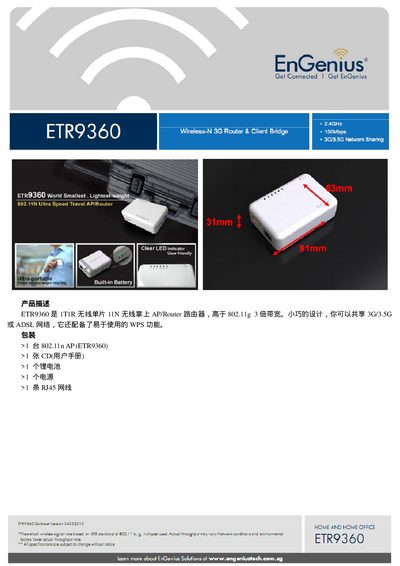
EnGenius ETR936Router Manual
This manual describes the Asus ETR9360 handheld AP/router, a compact 1T1R 802.11n device that can share 3G/3.5G or ADSL connections and includes WPS for easy setup. The package contains the router, a CD with the user manual, a lithium battery, a power adapter, and an RJ45 Ethernet cable.
The guide covers hardware specifications, RF parameters, software functions, network and security features, firmware upgrade procedures, and system monitoring. Detailed tables list supported wireless modes, data rates, antenna details, and power consumption, while the configuration sections explain WAN/LAN settings, DHCP, VPN, parental controls, and more. This manual is written in Chinese.
Covers: Product Description · Technical Parameters · Hardware Specifications · RF Specifications · Software Functions · Network Features
Latest EnGenius manuals
EnGenius EOC5611p Quick Installation Guide
Quick Start Guide 14 pages · 1.5 MB · ZHThis quick installation guide shows how to set up the EnGenius EOC5611p wireless device, covering hardware connections, network configuration, and operation…
EnGenius EOC2611p Installation Guide
Installation Guide 14 pages · 1.5 MB · JAThis EnGenius EOC2611p Installation Guide provides step‑by‑step hardware connection, IP configuration, and operation‑mode setup instructions.
EnGenius ETR936Router Manual
User Manual 5 pages · 433 KB · ZHThe Asus ETR9360 handheld AP/router user manual provides setup, configuration, and technical specifications.
Which document do I need?
Quick Start Guide
The shortest path to a working setup, usually only a few pages.
Installation Guide
Mounting, wiring and first power-up. Read it before the hardware goes in.
User Manual
Day-to-day operation, settings and troubleshooting. Start here if the product is already set up.
Questions answered in EnGenius manuals
How do I reset the EOC5611p to factory defaults?
Press and hold the Reset button for 10 seconds while the device is powered on.
What is the default IP address of the device?
The default LAN IP address is 192.168.1.1.
How do I activate WPS on the ETR9360?
Press the WPS button for 2 seconds to start WPS mode.
What is the operating temperature range of the router?
The device operates from 0 °C to 40 °C.