
Dell Vostro 15 3000 Series Quick Start Guide
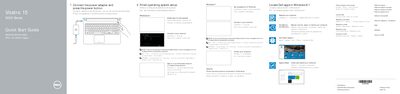
This quick start guide for the Dell Vostro 15 3000 Series laptop identifies the computer's hardware features with numbered callouts, including the camera, microphone, power button, optical drive, USB 2.0 and USB 3.0 connectors, headset connector, touchpad, speakers, memory-card reader, VGA and network connectors, battery and Service-Tag label.
It also lists the keyboard shortcut keys, such as muting audio, adjusting volume, controlling playback, switching to an external display, toggling the keyboard backlight, adjusting brightness, turning wireless on or off, and putting the computer to sleep. The text is provided in English, Romanian and Slovenian, and refers readers to the Owner's Manual at dell.com/support for more information.
| Optical drive | Included |
|---|---|
| USB ports | USB 2.0 connectors and USB 3.0 connector |
| Memory-card reader | Included |
| Video output | VGA connector |
| Keyboard backlight | Optional |
Use the shortcut key listed for "Turn off/on wireless" on the keyboard.
It is item 18 in the features diagram, located near the battery area of the computer.
See the Owner's Manual at dell.com/support.
Yes, there is a shortcut key labeled "Put the computer to sleep".