
Inspiron 17-5759 notebook quick start guide.
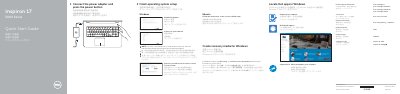
The Dell Inspiron 17-5759 quick start guide provides initial setup instructions for the notebook. It shows how to connect the power adapter, press the power button, and finish operating system setup for Windows or Ubuntu.
The guide also covers enabling Dell updates, connecting to a network, signing in to a Microsoft account or creating a local account, creating Windows recovery media, using SupportAssist, registering the computer, locating Dell apps, and identifying features and shortcut keys.
| Power-adapter port | Included |
|---|---|
| Network port | Included |
| HDMI port | Included |
| USB 3.0 port | Included |
| Media-card reader | Included |
| Headset port | Included |
| USB 2.0 ports | 2 |
| Optical drive | Included |
| Security-cable slot | Included |
Connect the power adapter and press the power button.
Dell lists product support and manuals at Dell.com/support and Dell.com/support/manuals.
In Windows search, type Recovery, click Create a recovery media, and follow the on-screen instructions.
Enter the password for the wireless network access when prompted.