
The Dell XPS 12 Quick Start Guide provides information on how to connect the power adapter, register the computer, insert the micro-SIM card and microSD card, and complete Windows setup.
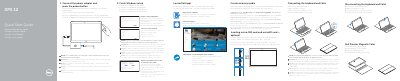
This Quick Start Guide covers initial setup for the Dell XPS 12 9250, including connecting the power adapter, inserting optional micro-SIM and microSD cards, running SupportAssist, registering the computer, and completing Windows setup with security, updates, network, account, Dell app, and recovery media steps.
The guide also describes connecting and disconnecting the keyboard and Dell Premier Magnetic Folio, lists the tablet features and ports, and provides a table of keyboard shortcut keys. Regulatory information includes model T02H and power specifications.
| Regulatory model | T02H |
|---|---|
| Input voltage | 120 V AC–240 V AC |
| Input frequency | 50 Hz–60 Hz |
| Input current | 1.30 A |
| Output voltage | 20 V DC |
| Output current | 1.5 A |
| Battery | Dell F17M7 / 0RVR9 / 8XKW5, 19.5 V DC, 30 Wh |
| Charger | HA30NM150 / HKA30NM150 / DA30NM150 |
| Thunderbolt 3 ports (USB-C) / charging ports | 2 |
| Microphones | 2 |
| Volume buttons | 2 |
| Country of origin | Made in Mexico |
Connect the power adapter and press the power button.
Yes, it is recommended to insert the micro-SIM card and the microSD card before powering on the tablet.
The keyboard backlight turns on for 2 seconds when the tablet-docking pins and keyboard-docking pins are aligned correctly.
In Windows search, type Recovery, click Create a recovery media, and follow the instructions on the screen.