
Dell Inspiron 17-5758 Laptop Quick Start Guide.
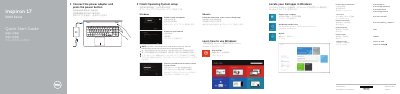
This quick start guide covers the first steps for the Dell Inspiron 17-5758 (Inspiron 17 5000 Series) laptop. It shows how to connect the power adapter and press the power button, then finish operating system setup in Windows by enabling security and updates, connecting to a network and signing in to a Microsoft account or creating a local account. Ubuntu users are told to follow the on-screen instructions to finish setup.
The guide also points to help and tips for using Windows, explains how to find and use Dell apps such as My Dell and Dell Backup and Recovery in Windows, and how to register the computer. A features section labels the laptop's ports, buttons, camera, battery and labels, and a list of shortcut keys covers audio, playback, display switching, brightness, wireless and sleep. Support, manuals and regulatory information are given as dell.com links. This manual is written in Chinese.
| Computer model | Inspiron 17-5758 (Inspiron 17 5000 Series) |
|---|---|
| Regulatory model | P28E |
| Regulatory type | P28E001 |
| USB ports | USB 3.0 port (1), USB 2.0 ports (2) |
| Video port | HDMI port |
| Card reader | Media-card reader |
| Optical drive | Optical drive |
| Audio port | Headset port |
Connect the power adapter and press the power button.
When prompted, enter the password for the wireless network access.
Follow the instructions on the screen to finish setup.
The guide refers you to the Specifications page at dell.com/support.