
The Dell P28F monitor complies with the NOM standard.
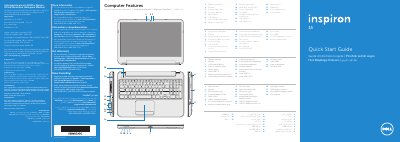
This document is a multilingual quick start guide for the Dell Inspiron 3521 computer. It identifies the computer model and regulatory model P28F, lists computer features, and shows function-key controls for wireless, touchpad, brightness, volume, and media playback.
It also includes basic setup steps such as connecting the power adapter, completing Windows setup, checking wireless status, locating the service tag, and connecting an optional network cable. Power input and output values are provided in the regulatory information section.
| Input voltage | 100-240 V AC |
|---|---|
| Input current (maximum) | 1.50 A / 1.60 A / 1.70 A / 2.50 A |
| Input frequency | 50-60 Hz |
| Output current | 3.34 A / 4.62 A |
| Output voltage | 19.50 V DC |
The computer model is Inspiron 3521.
The regulatory model is P28F.
The listed input voltage range is 100-240 V AC.
The listed computer features include two USB 3.0 ports.