
Dell Latitude 12 7285 2-in-1 Quick Start Guide
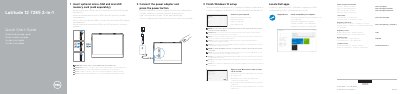
This guide describes the initial setup of the Dell Latitude 7285 2-in-1. It covers inserting an optional micro-SIM and microSD card, connecting the power adapter, completing Windows 10 setup, connecting to a network, signing in to a Microsoft account or creating a local account, and locating Dell apps such as SupportAssist.
The guide also lists the tablet computer features, including cameras, infrared emitters and camera, microphones, speakers, pogo pins, Noble Wedge lock slot, Thunderbolt over USB Type-C charging ports, and card slots, along with the intended use orientation for the tablet computer.
| Computer model | Latitude 7285 2-in-1 |
|---|---|
| Operating system setup | Windows 10 |
| Charging/port type | Thunderbolt over USB Type-C/ charging port |
| Card slots | microSIM card slot (optional) and microSD card slot |
| Minimum screen-side distance from user | 15 mm (0.59 inches) or greater |
Connect the power adapter and press the power button.
Yes. Insert the optional micro-SIM and microSD memory card, which are sold separately, and make sure the card is correctly aligned and fully inserted.
Finish the Windows 10 setup, connect to your network, sign in to your Microsoft account or create a local account, and locate Dell apps.
Support and manuals are available at Dell.com/support and Dell.com/support/manuals, with Windows help at Dell.com/support/windows.