
Dell applications help you get the most out of your Dell computer.
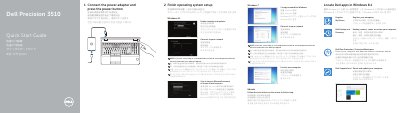
This Quick Start Guide for the Dell Precision 3510 walks through initial setup: connecting the power adapter and pressing the power button, finishing operating system setup for Windows 8.1, Windows 7, or Ubuntu, enabling security and updates, connecting to a network, and signing in to a Microsoft account or creating a local account. It also lists Dell applications available in Windows 8.1, including Register My Device, Dell Backup and Recovery, Dell Data Protection | Protected Workspace, and Dell SupportAssist.
The guide includes a numbered features diagram identifying the computer's connectors and components, such as the network connector, VGA and HDMI 1.4 connectors, USB 3.0 ports (one with PowerShare), SD memory-card reader, optional SIM-card slot, fingerprint reader, contactless smart card reader, and Thunderbolt 3 connector. It closes with support links (Dell.com/support), contact information, regulatory and safety references, and the regulatory model P48F / regulatory type P48F001.
| HDMI connector | HDMI 1.4 |
|---|---|
| USB connectors | USB 3.0, including one with PowerShare |
| Memory card reader | SD memory-card reader |
| Optional components | SIM-card slot, camera, fingerprint reader, contactless smart card reader, Smart-Card Reader, Thunderbolt 3 connector |
When prompted, enter the password for wireless network access.
The guide lists Dell apps for Windows 8.1, including Register My Device, Dell Backup and Recovery, Dell Data Protection | Protected Workspace, and Dell SupportAssist.
At Dell.com/support, Dell.com/support/manuals, Dell.com/support/windows, and Dell.com/support/linux.