
The Dell Vostro 3267/3268 Quick Start Guide provides instructions on how to connect the keyboard and mouse, connect the network cable, connect the display, connect the power cable and press the power button, and finish Windows 10 setup.
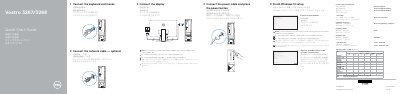
This guide shows how to connect the keyboard, mouse, network cable, display, and power cable, then finish Windows 10 setup on the Dell Vostro 3267/3268. It also covers creating recovery media, locating Dell apps, and identifying the computer's ports and features.
Additional sections provide product support and manual links, contact information, and regulatory and safety details for the Vostro 3267/3268.
| Rated voltage | 100-240 V |
|---|---|
| Rated frequency | 50-60 Hz |
| Rated input current | 3 A |
| USB ports | USB 2.0 and USB 3.0 |
Connect the display to the discrete graphics card.
In Windows search, type Recovery, click Create a recovery media, and follow the instructions on the screen.
Visit Dell.com/support and Dell.com/support/manuals.