
The Dell OptiPlex 7050 Micro Desktop Quick Start Guide
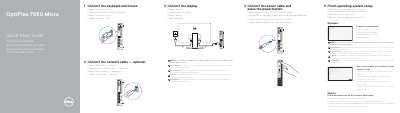
This is the Dell quick start guide for the OptiPlex 7050 Micro computer, printed in English, Czech, Hungarian, Polish and Slovak. It walks through the first-time setup in five steps: connecting the keyboard and mouse, connecting the network cable (optional), connecting the display, connecting the power cable and pressing the power button, and finishing operating system setup in Windows or Ubuntu.
The guide also lists where to find Dell apps such as SupportAssist, gives a numbered illustration key of the computer's ports, buttons and security slots, and points to Dell support, contact and regulatory compliance web pages. Regulatory model D10U and regulatory type D10U002 are stated on the back page.
| Computer model | OptiPlex 7050 Micro |
|---|---|
| Regulatory model | D10U |
| Regulatory type | D10U002 |
| USB Type-C port | USB 3.0 Type-C |
| USB port with PowerShare | USB 3.0 with PowerShare |
| Optional port | VGA or Serial or PS/2 or DisplayPort |
| Security | Kensington security cable slot and padlock ring |
| Optional antenna connector | Antenna SMA connector |
Connect the display to the discrete graphics card instead of the onboard connector.
Enter the password for the wireless network access when prompted.
Follow the instructions on the screen; for Windows, sign in to your Microsoft account or create a local account, and for Ubuntu follow the on-screen instructions.
Dell lists support at Dell.com/support and manuals at Dell.com/support/manuals.