
This is a quick start guide for Dell laptop, including registering your computer, Dell backup and recovery, product support and manuals, contacting Dell, regulations and safety.
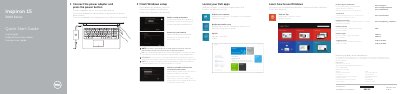
This is the multilingual quick start guide for the Dell Inspiron 15 3000 Series laptop, covering computer models Inspiron 15-3551 and Inspiron 15-3558 (regulatory model P47F). It walks through the first-time setup: connecting the power adapter and pressing the power button, finishing Windows setup, connecting to a network, signing in with a Microsoft account or creating a local account, enabling security and updates, locating Dell apps, registering the computer and using Dell Backup and Recovery.
The second page shows the computer's features with numbered callouts, including the microphone, camera and camera-status light, power-adapter port, network port (Inspiron 3558 only), HDMI port, USB 3.0 port, media-card reader, status lights, USB 2.0 ports, headset port, security-cable slot, power button, battery and labels. It also lists the shortcut keys for audio, media playback, display switching, brightness, wireless and sleep, and gives Dell support contact links plus Mexican NOM regulatory information.
| Computer models | Inspiron 15-3551 / Inspiron 15-3558 |
|---|---|
| Regulatory model | P47F |
| Input voltage | 100 V AC–240 V AC |
| Input frequency | 50 Hz–60 Hz |
| Input current | 1.30 A / 1.60 A / 1.70 A |
| Output voltage | 19.50 V DC |
| Output current | 2.31 A / 3.34 A |
| USB ports | One USB 3.0 port and two USB 2.0 ports |
| Network port | Available on Inspiron 3558 only |
Connect the power adapter and press the power button, then finish the Windows setup.
It covers the Inspiron 15-3551 and Inspiron 15-3558, under regulatory model P47F.
The guide points to the Specifications page at dell.com/support.
The network port is listed as being on the Inspiron 3558 only.