
This document provides instructions on how to set up and use a Dell computer.
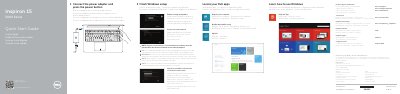
This multilingual quick start guide (English, Dutch, French, Portuguese, and Spanish) covers the Dell Inspiron 15 5000 Series computer, identified as computer model Inspiron 5548. It gives the initial setup sequence: connect the power adapter and press the power button, finish Windows setup, locate Dell apps, learn how to use Windows, register the computer, and use Dell Backup and Recovery.
The guide also lists product support and manuals, contact and regulatory/safety links, and help and tips for security and updates, network connection, and Microsoft or local account sign-in. It includes a labeled feature list and shortcut-key descriptions, plus NOM information for Mexico with power input and output values.
| Computer model | Inspiron 5548 |
|---|---|
| Input voltage | 100 V AC–240 V AC |
| Input frequency | 50 Hz–60 Hz |
| Input current | 1.50 A / 1.60 A / 1.70 A / 2.50 A |
| Output voltage | 19.50 V DC |
| Output current | 3.34 A / 4.62 A |
| USB ports | USB 3.0 ports (2) |
| Camera | Intel RealSense 3D camera, optional |
Connect the power adapter and press the power button.
Enter the password for the wireless network access when prompted.
Sign in to your Microsoft account or create a local account.
The guide lists an optional Intel RealSense 3D camera.