
The Dell laptop quick start guide introduces the basic functions and usage methods of the laptop.
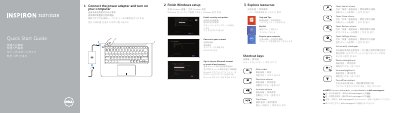
This quick start guide is for the Dell Inspiron 3137/3138 laptop. It shows how to connect the power adapter, turn on the computer, and finish Windows setup.
It also lists shortcut keys, product features and ports, and links for product support, manuals, and contacting Dell.
| Computer model | Inspiron 3137/3138 |
|---|---|
| Regulatory type | P19T001/P19T003 |
| Digital microphones | 2 |
| USB 2.0 ports | 2 |
| USB 3.0 port | 1 |
| HDMI port | 1 |
| Network port | 1 |
| Media-card reader | 1 |
| Headset port | 1 |
| Security-cable slot | 1 |
| Camera | 1 |
The computer model is Inspiron 3137/3138.
Product support and manuals are available at dell.com/support/manuals.
Dell can be contacted at dell.com/contactdell.
The guide lists a camera, digital microphones, USB 2.0 and USB 3.0 ports, an HDMI port, a network port, a media-card reader, and a headset port.