
Dell Vostro 15 3000 Series (Vostro 15-3561) Notebook Quick Start Guide

The Dell Vostro 15 3000 Series Notebook Quick Start Guide provides information on how to use the notebook.
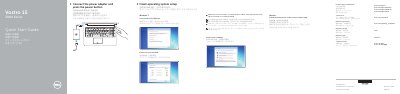

Dell Vostro 15 3000 Series (Vostro 15-3561) Notebook Quick Start Guide - cover page
Brand
DELL
Category
Laptops
Document type
Quick Start Guide
Language
English
Pages
2
File format
PDF
File size
486 KB
Published
26 November, 2023
Updated
26 November, 2023
MD5 checksum
7805932368EAAE092134CE96F2BCDBA3

About this manual

This Dell quick start guide helps set up a Vostro 15 3000 Series notebook. It shows connecting the power adapter, pressing the power button, and finishing Windows or Ubuntu setup, including password, network, and protection steps.

It also identifies the notebook's camera, ports, connectors, battery, touchpad, and shortcut keys, and points to Dell support, manuals, and regulatory information.

What's inside

  • Connect the power adapter and press the power button
  • Finish operating system setup
  • Protect your computer
  • Product support and manuals
  • Contact Dell
  • Regulatory and safety
  • Features
  • Shortcut keys

Specifications

Regulatory modelP47F
Regulatory typeP47F007
Computer modelVostro 15-3561

Frequently asked questions

How do I start using the notebook?

Connect the power adapter and press the power button.

Where can I find the Owner's Manual?

See it at Dell.com/support/manuals.

What does the guide show for Windows setup?

Set a password for Windows, connect to your network, and protect your computer.

Download PDF (486 KB)

More DELL Manuals


View all DELL manuals →