
This document describes how to set up Windows.
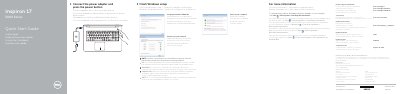
This Dell Inspiron 17 5000 Series quick start guide covers the computer model Inspiron 17-5759 and regulatory model P28E. It gives steps to connect the power adapter, finish Windows setup, set a Windows password, connect to a network, and protect the computer, and it points to Dell Help Documentation, product support, contact, and regulatory pages.
The second page labels the computer features and shortcut keys. The guide includes text in English, Dutch, French, German, and Spanish and includes NOM information listing power input and output ratings. It carries © 2015 Dell Inc. and © 2015 Microsoft Corporation notices and states Printed in China.
| Power input voltage | 100 V AC–240 V AC |
|---|---|
| Input frequency | 50 Hz–60 Hz |
| Input current | 1.30 A / 1.60 A / 1.70 A |
| Output voltage | 19.50 V DC |
| Output current | 2.31 A / 3.34 A |
Connect the power adapter and press the power button.
Enter the password for the wireless network access when prompted.
Click Start → All Programs → Dell Help Documentation.
See Specifications at Dell.com/support.