
Dell Latitude 7450/E7450 (Latitude 14 7000 Series) Quick Start Guide

The Dell Latitude 14 7000 Series Quick Start Guide provides information on how to use the notebook.
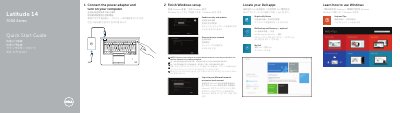

Dell Latitude 7450/E7450 (Latitude 14 7000 Series) Quick Start Guide - cover page
Brand
DELL
Category
Laptops
Document type
Quick Start Guide
Language
English
Pages
2
File format
PDF
File size
564 KB
Published
26 November, 2023
Updated
26 November, 2023
MD5 checksum
C4744C6D24685831C254FE787275E4A1

About this manual

This quick start guide helps set up a Dell Latitude 14 7000 Series computer, including connecting the power adapter, finishing Windows setup, locating Dell apps, registering the device, and signing in to a Microsoft or local account.

It also identifies the computer's external features and ports, lists optional components such as a fingerprint reader and smart card reader, and provides Dell support, manual, contact, and regulatory information.

What's inside

  • Connect the power adapter and turn on your computer
  • Finish Windows setup
  • Locate your Dell apps
  • Register My Device
  • Dell Backup and Recovery
  • Features
  • Product support and manuals
  • Contact Dell
  • Regulatory and safety

Frequently asked questions

What should I do when connecting to a secured wireless network?

Enter the password for the wireless network access when prompted.

Where can I find product support and manuals?

Visit dell.com/support and dell.com/support/manuals.

How do I contact Dell?

Visit dell.com/contactdell.

Download PDF (564 KB)

More DELL Manuals


View all DELL manuals →