
The Dell OptiPlex 7020 Quick Start Guide provides information on how to set up and use the Dell OptiPlex 7020 computer.
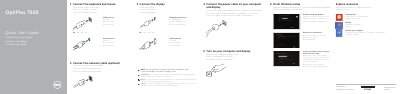
The Dell OptiPlex 7020 Quick Start Guide provides step-by-step instructions for setting up the computer, including connecting the keyboard, mouse, network cable, and display. It also guides users through the initial Windows setup and account creation.
The document identifies the hardware features for both the OptiPlex 7020 MT and SFF models, detailing the locations of various ports, connectors, and diagnostic lights.
| Input Voltage | 100 V AC–240 V AC |
|---|---|
| Input Current (max) | 5.4 A / 4.6 A |
| Input Frequency | 50 Hz–60 Hz |
| Regulatory Model (MT) | D12M |
| Regulatory Model (SFF) | D13M |
Connect the display to the discrete graphics card.
The display should be connected to the discrete graphics card.
The listed input voltage is 100 V CA–240 V CA.
The listed input frequency is 50 Hz–60 Hz.