
The Dell Latitude 12 7000 Series Notebook Quick Start Guide.
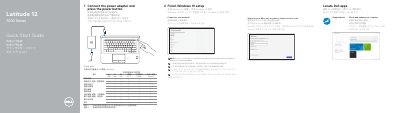
This two-page quick start guide from Dell covers the first steps for the Latitude 12 7000 Series notebook, whose computer model is listed as Latitude 12-7270/E7270 (regulatory model P26S). It shows how to connect the power adapter and press the power button, finish Windows 10 setup by connecting to a network and signing in to a Microsoft account or creating a local account, and where to find Dell apps such as SupportAssist to check and update the computer.
The second page is a numbered features diagram of the notebook, listing connectors and indicators such as the network connector, HDMI connector, Mini DisplayPort, USB 3.0 connectors, power connector, SIM port, memory card reader, fingerprint reader and service-tag label. The guide also gives Dell support and contact web addresses, a Taiwan RoHS declaration table, and Taiwan product label information including rated voltage, frequency and input current. Instructions are printed in English, Chinese, Japanese and Korean.
| Computer model | Latitude 12-7270/E7270 |
|---|---|
| Regulatory model | P26S |
| Rated voltage | 100 - 240 V (AC) |
| Rated frequency | 50/60 Hz |
| Rated input current | 1.7 A (65 W) / 2.5 A (90 W) |
Connect the power adapter and press the power button, then finish the Windows 10 setup.
Enter the password for the wireless network access when prompted.
The guide points to Dell apps such as SupportAssist, which checks and updates your computer.
Dell lists Dell.com/support and Dell.com/support/manuals for product support and manuals.