
This document describes how to assemble the GPGPU dongle cable.
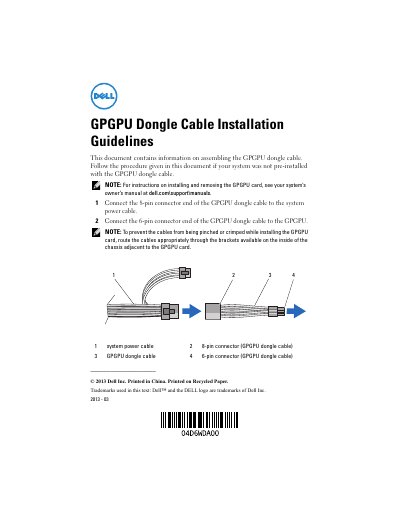
This guide explains how to install the GPGPU dongle cable on Dell systems that did not come with it pre-installed. It includes connecting the 8-pin end to the system power cable and the 6-pin end to the GPGPU. It also advises routing cables through chassis brackets to avoid pinching or crimping during GPGPU card installation.
The guide is multilingual, providing instructions in English, Chinese, French, German, Japanese, Korean, Spanish, and Turkish, with consistent content across all versions.
Connect the 8-pin connector end to the system power cable and the 6-pin connector end to the GPGPU.
Route the cables appropriately through the brackets available on the inside of the chassis adjacent to the GPGPU card to prevent pinching or crimping.