
The Dell XPS 8900 Quick Start Guide provides information on how to connect and set up your Dell XPS 8900 computer.
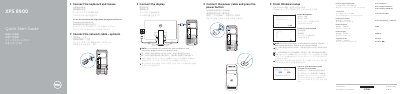
This Quick Start Guide helps set up the Dell XPS 8900 computer. It describes connecting the network cable, display, power cable, keyboard, and mouse, then finishing Windows setup, enabling Dell updates, connecting to a network, and signing in to a Microsoft account.
A features diagram labels components such as USB ports, DisplayPort, HDMI, audio ports, and the network port. The document also lists Dell support websites, recovery media creation, and how to locate Dell apps.
| Optical-drive bays | 2 |
|---|---|
| USB 3.0 ports | 2 |
| USB 2.0 port | 1 |
| USB 2.0 port with PowerShare | 1 |
| USB 2.0 ports | 2 |
| USB 3.0 ports | 4 |
| Audio ports | 6 |
| Expansion-card slots | 4 |
Go to Dell.com/support and Dell.com/support/manuals.
The computer model is XPS 8900.
In Windows search, type Recovery, click Create a recovery media, and follow the instructions.
The regulatory model is D14M.