
Dell Vostro 15 5000 Series Notebook Quick Start Guide

Dell Vostro 15 5000 Series Notebook Quick Start Guide
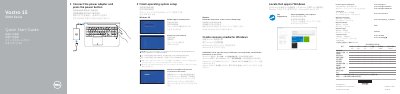

Dell Vostro 15 5000 Series Notebook Quick Start Guide - cover page
Brand
DELL
Document type
Quick Start Guide
Language
English
Pages
2
File format
PDF
File size
544 KB
Published
25 November, 2023
Updated
25 November, 2023
MD5 checksum
00F0BD41889D3CFB9AFB68B93724D90D

About this manual

This guide helps you set up your Dell Vostro 15-5568 notebook by connecting the power adapter and pressing the power button. It includes instructions for Windows and Ubuntu setup, connecting to networks, and creating recovery media. The guide also lists hardware features like cameras, fingerprint readers, and ports.

The guide is multilingual, supporting Chinese, Japanese, Korean, and other languages, and includes regulatory compliance information for Taiwan RoHS standards.

What's inside

  • Connect Power Adapter
  • Windows Setup
  • Ubuntu Setup
  • Network Connection
  • Hardware Features
  • Shortcut Keys
  • Regulatory Compliance

Frequently asked questions

What is the first step to start the computer?

Connect the power adapter and press the power button.

What should you do if connecting to a secured wireless network?

Enter the password for the wireless network access when prompted.

How do you create recovery media for Windows?

In Windows search, type Recovery, click Create a recovery media, and follow the instructions on the screen.

Download PDF (544 KB)

More DELL Manuals


View all DELL manuals →