
The Dell Latitude 13 Quick Start Guide provides information on how to use the Dell Latitude 13 laptop.
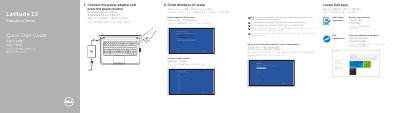
This two-page Dell quick start guide for the Latitude 13 Education Series / Latitude 3350 computer walks through initial setup: connecting the power adapter, finishing Windows 10 setup, connecting to a network, signing in with a Microsoft account or creating a local account, and locating Dell apps.
The second page labels the computer's features, including the camera, microphone, security-cable slot, power button, USB 3.0, Mini DisplayPort, HDMI, RJ45, headset, SD-card reader, touchpad, and status lights. It also lists Dell support, contact, and regulatory/safety web addresses and gives the regulatory model P47G and computer model Latitude-3350 / Latitude 14-3350 series.
| Computer model | Latitude-3350 / Latitude 14-3350 series |
|---|---|
| Regulatory model | P47G |
| USB port | USB 3.0 connector |
| Video outputs | Mini DisplayPort connector and HDMI connector |
| Network port | RJ45 connector |
| Card reader | SD-card reader |
| Audio port | Headset connector |
Connect the power adapter and press the power button.
Windows 10.
Enter the password for the wireless network access when prompted.
Dell SupportAssist.