
The Dell OptiPlex 7450 All-in-One Quick Start Guide provides instructions on how to connect the power cord and other devices, connect the keyboard and mouse, install the stand, press the power button, and set a password for Windows.
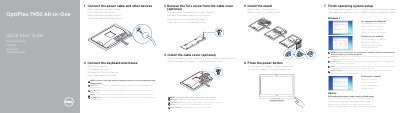
The Dell OptiPlex 7450 All-in-One Quick Start Guide shows initial setup steps for the computer. It covers connecting the power cable, keyboard, mouse and other devices, installing the stand and optional cable cover, pressing the power button and finishing operating system setup for Windows 7 or Ubuntu.
The guide also lists the computer's features, including ports, status lights, camera and microphone locations, and optional items. Support, contact and regulatory information are provided through Dell web addresses, along with the regulatory model W11C and computer model OptiPlex 7450 All-in-One.
See the documentation that shipped with the wireless keyboard or mouse.
No, securing the cable cover with the Torx screw is optional.
Follow the instructions on the screen to finish setup.