
The Chromebook 11 3189 Quick Start Guide provides instructions on how to set up and use the Chromebook 11 3189.
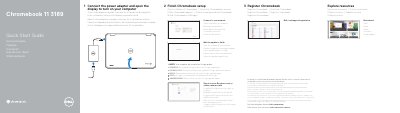
This Dell quick start guide for the Chromebook 11 3189 walks through the first setup steps: connecting the power adapter and opening the display to turn on the computer, connecting to a network, signing in to a Google account or creating a new one, waiting for the update to finish, and registering the Chromebook.
The guide also labels the computer's features, including the camera and camera status light, microphone, Noble wedge lock slot, volume control button, power button, battery status light, universal audio jack, speakers, touchpad, USB 3.0 ports, HDMI port, microSD card reader, power connector port, Dell Activity Light, and service tag label. It lists Dell and Google support links and the regulatory model and type.
| Computer model | Chromebook 11 3189 |
|---|---|
| USB ports | USB 3.0 ports |
| Video port | HDMI port |
| Card reader | microSD card reader |
| Audio jack | Universal audio jack |
| Security slot | Noble wedge lock slot |
| Camera | Camera with camera status light |
Connect the power adapter and open the display.
Sign in to your Google account or create a new account.
Your computer will restart after the Google update.