
Dell Inspiron 24 5000 Series Ubuntu Quick Start Guide.
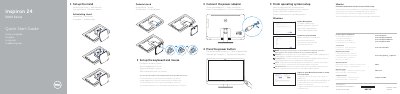
Multilingual quick start guide for the Dell Inspiron 24 5000 Series Ubuntu all-in-one desktop. It covers setting up the keyboard and mouse, installing the stand, connecting the power adapter, and pressing the power button.
The guide also identifies the computer's ports and buttons, lists tilt angles for the stands, and describes finishing operating system setup, registering the computer, and creating Windows recovery media.
| USB 3.0 ports | 2 |
|---|---|
| USB 2.0 ports | 4 |
| HDMI-in port | 1 |
| HDMI-out port | 1 |
| Optical drive | Optional |
Follow the instructions on the screen to finish setup.
Enter the password for the wireless network access when prompted.
In Windows search, type Recovery, click Create a recovery media, and follow the instructions on the screen.