
This document is a manual for Dell computers. It introduces how to use the computer and precautions.
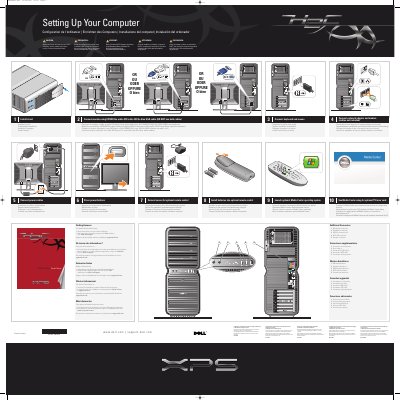
This Dell computer installation guide provides setup instructions for a Dell computer. It covers connecting the stand, monitor, keyboard, mouse, network adapter, modem, and power cables, then pressing the power buttons.
The guide also describes the optional remote control sensor and Media Center operating system setup, and lists additional connectors including microphone, headphone, USB 2.0, IEEE 1394, and speaker ports.
| Microphone connector | 1 |
|---|---|
| Headphone connector | 1 |
| USB 2.0 connectors | 2 |
| IEEE 1394 connector | 1 |
| Speaker connector | 1 |
Use either the white DVI cable or the blue VGA cable, but do not use both cables.
Support and educational tools are available at support.dell.com.
See the safety instructions in the Product Information Guide.