
Dell Inspiron 17-5759 Quick Start Guide

Inspiron 17-5759 Quick Start Guide
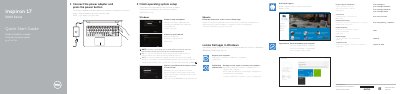

Dell Inspiron 17-5759 Quick Start Guide - cover page
Brand
DELL
Category
Laptops
Document type
Quick Start Guide
Language
English
Pages
2
File format
PDF
File size
623 KB
Published
25 November, 2023
Updated
25 November, 2023
MD5 checksum
F1C3E47F00C41B1B0700542BFE3ED7BD

About this manual

This document serves as a quick start guide for the Dell Inspiron 17-5759 laptop. It provides instructions for connecting the power adapter, enabling security updates, and finishing the operating system setup. The guide is multilingual, offering instructions in English, Italian, Portuguese, and Arabic.

What's inside

  • Guida introduttiva rapida
  • Features
  • Shortcut keys
  • Connect the power adapter
  • Finish operating system setup
  • Enable security and updates
  • Connect to your network
  • Locate Dell apps in Windows
  • SupportAssist
  • Dell Backup and Recovery

Frequently asked questions

What is the first step to start the computer?

Connect the power adapter and press the power button.

What should you enter when connecting to a secured wireless network?

Enter the password for the wireless network access when prompted.

What can Dell Backup and Recovery do?

It can backup, recover, repair, or restore your computer.

Where is the regulatory label located?

It is in the battery bay.

Download PDF (623 KB)

More DELL Manuals


View all DELL manuals →