
A guide to setting up a Dell computer, including steps such as installing the stand, connecting the keyboard and mouse, connecting to the network, connecting the modem, and connecting the power cables.
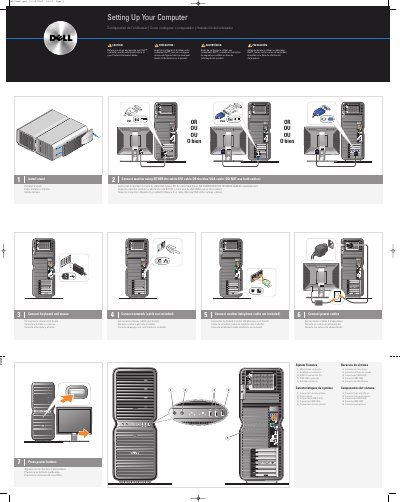
This document provides multilingual instructions (English, French, Portuguese, Spanish) for setting up a Dell computer. It covers the installation of the computer stand, connecting peripherals such as keyboards, mice, monitors, and network cables, and powering on the system. Important safety warnings advise users to consult the Product Information Guide before operation.
The monitor can be connected using either the blue VGA cable or the white DVI cable, but both should not be used at the same time.
The system includes a microphone connector, a headphone connector, two USB 2.0 connectors, an IEEE 1394 connector, and a speaker connector.
Users should review the safety instructions located in the Product Information Guide.