
This is a guide document about using JEOL MassCenter for mass analysis.
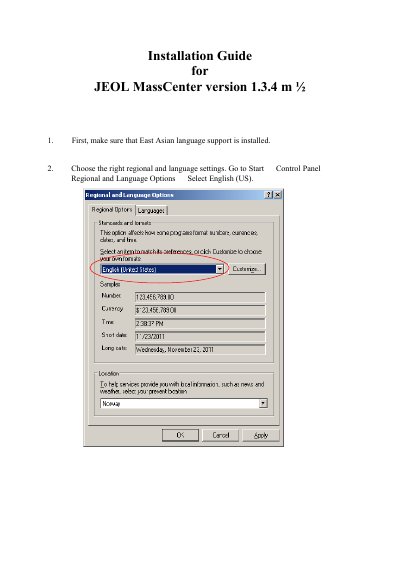
This document is an installation guide for JEOL MassCenter version 1.3.4. It begins with installing East Asian language support and selecting English (US) regional and language settings, then describes logging on to the install account and starting installation from CD.
The guide explains selecting 'Connected device nothing' in the Select MS Device Name step, entering customer information and the CD key, and confirming the emulation code. It also covers giving Users Full Control of the Jeol folder, creating desktop shortcuts for prjSpectrumViewer.exe and prjChromatogramViewer.exe, and saving raw data files in the required .7pj/.7fl/.7rw hierarchy on the C:\ or D:\ disk.
| Software version | 1.3.4 |
|---|---|
| Required language support | East Asian language support |
| Regional setting | English (US) |
| Installation folder | C:\Program Files\Jeol\MassCenter\Applications |
| Required raw data file extensions | .7pj, .7fl, .7rw |
It covers JEOL MassCenter version 1.3.4.
The guide says to select English (US) in Regional and Language Options.
In the Select MS Device Name step, select 'Connected device nothing'.
Save them on the C:\ or D:\ disk in the correct hierarchy containing .7pj\.7fl\.7rw.