
Provides the operation flow of JEOL JEM1011 TEM
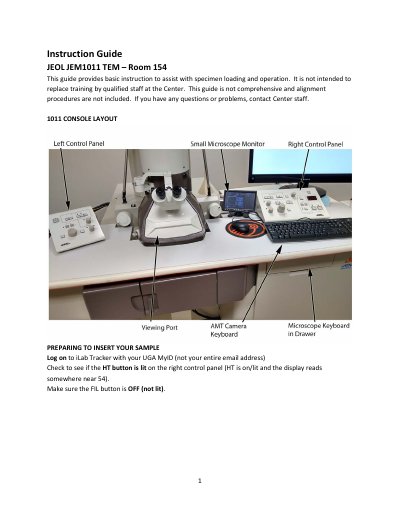
This instruction guide covers basic specimen loading and operation of the JEOL JEM1011 TEM in Room 154. It is not intended to replace training by qualified Center staff, and alignment procedures are not included.
Steps describe checking the HT and FIL buttons, filling the nitrogen Dewar, loading grids into the sample holder, inserting the specimen rod through the airlock, and turning on the filament. The guide also covers beam centering and brightness, spot size, image capture with AMT software, regular and low mag, changing specimens, and ending the session.
| Specimen capacity | Two grids |
|---|---|
| Typical spot size | 2 |
The sample holder can take two grids.
It indicates that the specimen holder is being pumped down.
Typical operation is at spot size 2.
Turn off the Filament, not the HT.