
This is a guide for daily operation of JEM 2100F TEM.
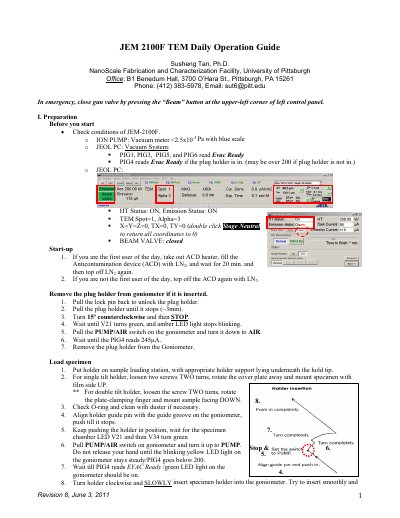
This document is Revision 8, dated June 3, 2011, and was prepared by Susheng Tan, Ph.D., at the NanoScale Fabrication and Characterization Facility, University of Pittsburgh. It gives daily operating procedures for the JEOL JEM-2100F TEM.
The guide covers preparation and condition checks, startup, specimen loading, TEM alignment, GIF system alignment and digital TEM image recording, after-imaging steps, specimen changes, and end-of-day procedures for leaving the room.
| ION PUMP vacuum condition | <2.5x10⁻⁵ Pa with blue scale |
|---|---|
| Column pressure before observation | below 1.5x10⁻⁵ Pa |
| TEM magnification for digital imaging | 40,000x |
| GIF image magnification | 40,000x |
| Digital camera temperature control | COOL, < -25oC |
| Spot size and alpha | Spot size = 1, alpha = 3 |
Close the gun valve by pressing the “Beam” button at the upper-left corner of the left control panel.
Take out the ACD heater, fill the Anticontamination device with LN2, wait 20 minutes, and top off LN2 again.
Save them in your own folder on the external hard disk (Iomega_HDD); do not save images in internal hard disk directories.
Change TEM MAG to 40,000x, find a hole of a sample, and move it to the center of the screen.